Computer Vision Syndrome (Digital Eye Strain)

Computer Vision Syndrome (Digital Eye Strain)

UNDERSTANDING THE CONDITION

What Is Computer Vision Syndrome?

Computer Vision Syndrome describes a constellation of ocular, visual, and musculoskeletal symptoms arising from sustained digital screen use without adequate rest or ergonomic consideration. Unlike reading printed text, viewing a digital display requires continuous accommodative effort to maintain clarity as the eye adjusts to screen contrast, resolution, and refresh characteristics — demanding far more of the ciliary muscle and accommodative system than conventional near work.

A key physiological mechanism in CVS is reduced blink rate. Healthy individuals blink approximately 15–20 times per minute during normal activities; this rate falls by 50–70% during concentrated screen use. As each blink refreshes the tear film, reduced blinking allows rapid tear evaporation from the exposed ocular surface, producing dryness, irritation, and burning. In individuals with pre-existing dry eye disease or meibomian gland dysfunction, this mechanism is amplified, producing more pronounced and persistent symptoms — all of which are carefully assessed by an eye specialist in Delhi.

Beyond the ocular effects, poor screen ergonomics — incorrect monitor height, viewing distance, and chair posture — place excessive demand on the neck, upper back, and shoulder musculature, producing musculoskeletal symptoms that compound the visual discomfort. CVS is therefore as much a postural and ergonomic problem as it is a purely ocular one.


Part of Eye Affected

CVS primarily affects the ocular surface tear film — through blink-rate-related evaporative dryness — and the accommodative and vergence system, through sustained ciliary muscle and medial rectus effort during near screen work. The visual cortex may also experience increased processing demand from tracking text and images on screens with suboptimal pixel density, evaluated comprehensively during assessments at an eye hospital in Delhi.

Nature of Condition

CVS is a functional condition driven by visual habits and ergonomic factors. Its defining characteristics are:

  • Fatigue of the ocular focussing system from sustained near work
  • Tear film instability from reduced blink frequency during screen use
  • Typically reversible with behaviour modification and ergonomic correction
  • Amplified by pre-existing uncorrected refractive error or dry eye disease
  • Associated with neck, shoulder, and upper back discomfort from poor screen ergonomics

CLINICAL PRESENTATION

Symptoms & Early Warning Signs

Typical Symptoms

Symptoms of CVS tend to worsen progressively through the day with accumulated screen time. Common presentations include:

Eye Strain and Fatigue

A sensation of heaviness, tiredness, or aching in and around the eyes — often described as feeling as though the eyes need to be closed — develops after extended screen sessions and reflects ciliary muscle fatigue from sustained accommodation.

Dryness and Burning Sensation

Reduced blink frequency during screen use accelerates tear film evaporation, leaving the corneal and conjunctival surfaces inadequately lubricated. This produces characteristic dryness, burning, stinging, and a gritty foreign body sensation.

Blurred or Fluctuating Vision

Transient blurring of near or distant targets occurs as the accommodative and vergence systems become fatigued and unable to maintain precise focus. Vision may clear momentarily after blinking but returns as the tear film again deteriorates.

Headaches

Frontal or brow headaches typically develop after 2–3 hours of uninterrupted screen use, reflecting sustained frontalis and ciliary muscle effort. Headaches that consistently worsen through the day and improve on weekends or screen-free days are characteristic of CVS.

Neck and Shoulder Discomfort

Musculoskeletal pain in the neck, upper shoulders, and upper back results from sustained static posture during screen work, particularly when screen height, viewing angle, and chair support are suboptimal.

Difficulty Refocusing Between Distances

Transient difficulty shifting clear focus from screen to distant objects — a phenomenon called accommodative infacility — reflects fatigue of the ciliary muscle after sustained near-focus maintained during prolonged screen use.

Red Flag Symptoms

These symptoms suggest underlying pathology beyond simple digital eye strain and require prompt ophthalmological assessment:

Persistent Blurred Vision Not Clearing with Rest

Immediate evaluation

Blurring that persists after adequate screen breaks and a full night's rest may indicate an underlying refractive error, dry eye disease, or another ocular condition that requires specialist assessment rather than habit modification alone.

Severe Eye Pain

Same day evaluation

Significant ocular pain is not typical of simple CVS and may indicate elevated intraocular pressure, corneal pathology, iritis, or another serious ocular condition requiring prompt clinical evaluation.

Double Vision

Urgent assessment

Binocular diplopia during or after screen use is not explained by CVS alone and warrants urgent evaluation for convergence insufficiency, decompensating phoria, or neurological causes of ocular motor dysfunction.

Recurrent or Severe Headaches

Within 1 week

Headaches that are severe, associated with nausea, or fail to respond to basic ergonomic corrections and screen break strategies may indicate an uncorrected refractive error, binocular vision disorder, or a systemic cause requiring investigation.

Increasing Light Sensitivity

Within 1 week

Progressive photophobia beyond the mild light discomfort typical of screen glare may indicate significant ocular surface disease, dry eye with corneal epithelial disruption, or an early intraocular inflammatory condition.

Symptoms Not Improving Despite Habit Changes

Within 1 week

Persistent symptoms despite implementing the 20-20-20 rule, ergonomic corrections, and lubricating drops indicate that an underlying ocular condition — most commonly uncorrected refractive error or clinically significant dry eye — is driving the presentation.

Self-assessment guide

Self-Assessment Guide

Ask yourself these questions to determine if medical evaluation is needed:

  • Do your eyes feel tired, dry, or strained after 2–3 hours of screen use that does not fully recover with rest?
  • Are you experiencing recurrent headaches that begin during or after prolonged computer or phone use?
  • Has your vision become temporarily blurred or fluctuating during or after extended screen sessions?
  • Are you spending more than 6 hours daily on digital screens with no structured visual breaks?
  • Do you wear glasses or contact lenses — and have you not had a comprehensive eye examination in the past year?

If you answered "yes" to any of these questions, schedule a comprehensive eye evaluation with an eye strain specialist in Delhi to assess your visual system, screen habits, and ergonomic setup for a personalised management plan.

TRIGGERS & ROOT CAUSES

Causes & Risk Factors

Primary Lifestyle Triggers

CVS is almost entirely driven by modifiable lifestyle and environmental factors related to how digital devices are used:

Prolonged Continuous Screen Time Without Breaks

High

Extended screen sessions without adequate visual rest keep the ciliary and extraocular muscles under continuous effort and prevent tear film recovery between blinks. The cumulative strain of unbroken near focus is the primary driver of all CVS symptoms.

Not Following the 20-20-20 Rule

High

Failure to implement structured visual breaks every 20 minutes denies the accommodative system the periodic relaxation it requires. The 20-20-20 rule — looking at a target 20 feet away for 20 seconds every 20 minutes — is the most practical and evidence-supported intervention for preventing CVS symptoms.

Reduced Blink Rate During Screen Use

High

Screen concentration reduces blink frequency by up to 70% from baseline, dramatically accelerating tear film evaporation. The resulting ocular surface dryness is responsible for the most uncomfortable symptoms — burning, gritty sensation, and persistent blurring.

Poor Screen Ergonomics and Viewing Distance

Moderate

Screens placed too close, too far, too high, or at angles requiring neck flexion or extension significantly increase both ocular accommodation demand and musculoskeletal load. An arm's-length viewing distance (50–70 cm) with the screen slightly below eye level represents the optimal ergonomic configuration.

Screen Glare and Poor Ambient Lighting

Moderate

Working in dim ambient light relative to a bright screen, or with direct light sources reflecting on the monitor surface, creates glare that increases pupillary constriction demand and forces the visual cortex to process higher contrast differentials — amplifying visual fatigue.

Excessive Multi-Device Screen Switching

Low

Frequent transitions between screens of varying sizes, brightness levels, and viewing distances — particularly between laptops, tablets, and smartphones throughout the day — reduce total recovery time and increase cumulative accommodative and vergence demand.

Ocular & Environmental Factors

Specific ocular and environmental conditions amplify the impact of screen use on visual comfort:

Reduced Tear Film Stability

Individuals with pre-existing meibomian gland dysfunction or aqueous-deficient dry eye have a reduced baseline tear film breakup time, making them significantly more vulnerable to the drying effects of reduced blinking during screen use.

Sustained Ciliary Muscle Effort

Screen viewing requires constant accommodation — active focusing effort — that keeps the ciliary muscle in a contracted state. Prolonged ciliary muscle contraction produces the same fatigue and aching seen in any muscle subjected to prolonged isometric effort.

Screen Glare and Contrast

High screen brightness relative to ambient room lighting, glare from windows or overhead lighting reflecting on screens, and suboptimal display contrast create additional visual processing demand that compounds accommodative fatigue.

Blue Light Exposure

Digital screens emit relatively higher proportions of short-wavelength blue light compared to natural lighting conditions, which may contribute to visual discomfort in sensitive individuals through increased chromatic aberration of the visual system.

Air-Conditioned Indoor Environments

Air conditioning significantly reduces ambient humidity and increases the rate of tear film evaporation from the ocular surface, compounding the dryness effect of reduced blink rate during screen use.

Underlying Medical Conditions

Pre-existing ocular conditions that amplify CVS symptoms include:

Uncorrected or Incorrectly Corrected Refractive Error

Any uncorrected myopia, hyperopia, or astigmatism increases the accommodative effort required to maintain screen clarity, substantially worsening CVS symptoms and accelerating visual fatigue.

Dry Eye Syndrome

Pre-existing aqueous-deficient or evaporative dry eye provides a reduced baseline tear film quality that is rapidly exhausted by screen-use-related blink reduction, producing symptoms of much greater severity than either condition alone.

Convergence Insufficiency

Difficulty maintaining convergence at near working distances — a common binocular vision problem — causes disproportionate vergence effort during screen use, producing early visual fatigue, headaches, and intermittent diplopia.

Presbyopia

Age-related loss of accommodation in adults over 40 significantly increases the difficulty of maintaining clear screen focus without appropriate reading correction, exacerbating CVS symptoms if the refractive correction is not optimised for the working distance.

Migraine

Individuals with migrainous headaches may experience heightened visual sensitivity to screen flicker, brightness, and blue light, making them more susceptible to screen-triggered headache episodes.

CLINICAL EVALUATION

How Is Computer Vision Syndrome Diagnosed?

Initial Consultation

Diagnosis of CVS is based on symptom assessment and comprehensive eye evaluation. Your specialist will assess:

  • Detailed history of daily screen use, type of devices, viewing distance, workplace ergonomics, and symptom pattern throughout the day
  • Best corrected visual acuity and refraction to identify any uncorrected refractive error contributing to visual strain
  • Tear film evaluation including tear breakup time and Schirmer's test to assess dry eye severity
  • Binocular vision assessment including accommodation amplitude, convergence function, and vergence ranges
  • Slit-lamp examination of the ocular surface and anterior segment to identify meibomian gland dysfunction and corneal staining

Diagnostic Timeframe

Initial Consultation20–30 min
Comprehensive Eye Examination30–45 min
Advanced Testing (if required)20 min
Treatment PlanningSame day
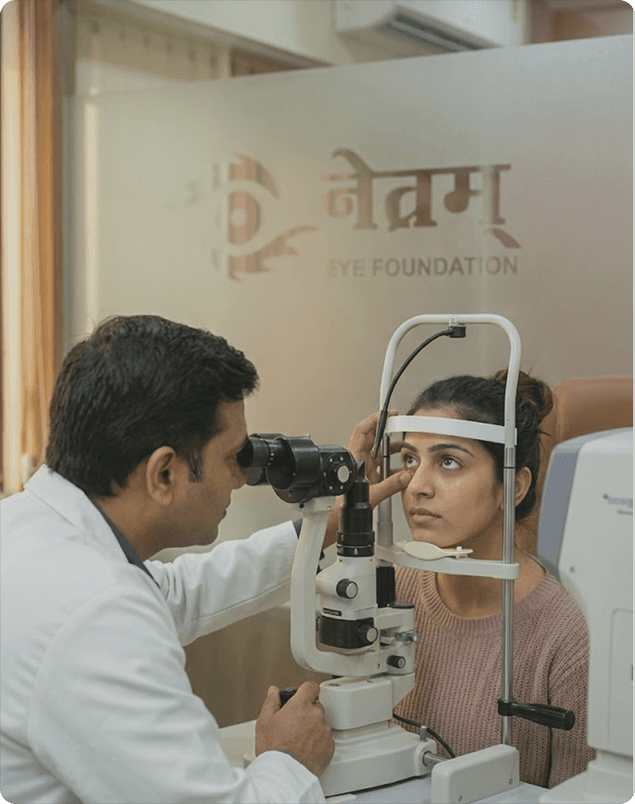
Doctor examining a patient at Netram Eye Foundation

MANAGEMENT & TREATMENT

Treatment Options for Computer Vision Syndrome

Self-Care & Lifestyle Modifications

Implement the 20-20-20 Rule

Every 20 minutes of screen work, focus on an object 20 feet (6 metres) away for at least 20 seconds. This periodic shift to distance vision relaxes the ciliary muscle and substantially reduces accommodative fatigue accumulation.

Optimise Screen Ergonomics

Position the monitor at arm's length (50–70 cm) from the eyes, with the top of the screen at or slightly below eye level. This reduces accommodative demand, minimises neck extension, and decreases tear evaporation from the exposed lower portion of the eye.

Blink Consciously and Frequently

Making a deliberate effort to complete full blinks during screen use refreshes the tear film regularly, prevents drying of the ocular surface, and maintains lubricating contact between the eyelids and the cornea.

Adjust Screen Brightness and Reduce Glare

Match screen brightness to ambient room lighting, use an anti-glare screen filter, and position the monitor away from direct window or overhead light sources to reduce contrast glare and visual discomfort.

Limit Recreational Screen Time

Separating occupational screen time from recreational device use provides the visual system with meaningful rest periods and reduces total daily screen exposure below the threshold that typically provokes significant symptoms.

Use Lubricating Eye Drops

Preservative-free artificial tears used every 1–2 hours during extended screen sessions maintain ocular surface lubrication, compensate for the reduced blink rate, and relieve dryness, burning, and gritty sensation.


Medical Treatments

Updated Spectacle or Contact Lens Prescription

For uncorrected refractive error

Providing accurate optical correction for the working screen distance — including occupational progressive or intermediate lenses for presbyopic patients — eliminates the excess accommodative effort driving the majority of CVS symptoms in spectacle wearers.

Preservative-Free Lubricating Eye Drops

For screen-associated dry eye

Frequent preservative-free artificial tear preparations restore the tear film between blinks during screen use. Thicker gel formulations or ointments may be prescribed for overnight use in patients with significant evaporative dry eye.

Vision Therapy for Binocular Vision Dysfunction

For convergence insufficiency or accommodative problems

A structured programme of eye exercises prescribed and supervised by an orthoptist improves convergence ability, accommodation amplitude, and binocular coordination in patients with CVS driven by underlying binocular vision disorders.

Blue Light Filtering Lenses

For selected symptomatic screen users

Prescription spectacle lenses with integrated blue light filtering coatings may reduce photosensitivity-driven visual discomfort in screen users, particularly during prolonged evening use when blue light exposure may also affect sleep quality.

Is Surgery Required?

SURGICAL INTERVENTION

Is Surgery Required?

Surgery Not Required for Computer Vision Syndrome

Computer Vision Syndrome is a functional condition caused by visual habits and ergonomic factors — it is not a structural eye disease and does not require surgical intervention. All aspects of CVS are managed through a combination of behavioural modifications, ergonomic corrections, appropriate optical prescriptions, and — when indicated — targeted treatment of coexisting dry eye or binocular vision disorders.

In the rare scenario where refractive surgery (LASIK or PRK) is performed for an underlying refractive error in a CVS patient, the primary indication is correcting the refractive error rather than treating CVS itself; the contribution of surgery to symptom relief depends on how much the refractive error was contributing to the overall symptom burden. Such decisions are made on an individual basis following thorough evaluation at Netram Eye Foundation in Delhi, where all aspects of the patient's visual system, screen environment, and occupational needs are carefully considered together.

ALL YOUR QUESTIONS ANSWERED

Frequently Asked Questions About Computer Vision Syndrome

What causes digital eye strain?

Digital eye strain arises from a combination of sustained accommodative effort during screen use, reduced blink frequency causing tear film evaporation and ocular surface dryness, poor screen ergonomics creating postural and visual stress, and the challenge of processing digital display characteristics — including glare, reduced contrast, and screen flicker — compared to printed text. In individuals with underlying uncorrected refractive error or dry eye, these mechanisms are substantially amplified, producing more severe and persistent symptoms.

Can CVS be prevented?

Yes, effectively. The most impactful preventive measures are implementing the 20-20-20 rule to provide periodic ciliary muscle relaxation, making a conscious effort to blink fully and frequently during screen use to maintain tear film integrity, optimising screen ergonomics including viewing distance and monitor height, adjusting screen brightness to match ambient lighting, and ensuring that spectacle or contact lens prescriptions are current and appropriate for the working distance. Regular comprehensive eye examinations enable early identification of refractive error or dry eye that may be amplifying CVS symptoms.

Is CVS permanent?

No. Computer Vision Syndrome is a functional condition without permanent structural consequences for the eye, provided symptoms are managed appropriately and do not result from an underlying untreated condition. Symptoms reliably improve with adequate visual rest, implementation of screen break strategies, ergonomic corrections, and appropriate optical correction. Individuals who continue to accumulate high daily screen loads without mitigation strategies may experience chronic symptoms, but these resolve when the underlying habits and ergonomic factors are addressed.

Does blue light from screens harm the eyes?

Current evidence does not confirm that the levels of blue light emitted from consumer digital screens cause structural damage to the retina under normal use conditions — the irradiance levels are substantially lower than those required for retinal photochemical injury. Blue light from screens may, however, contribute to visual discomfort through increased chromatic aberration in the visual system, and may affect sleep quality when screens are used in the 1–2 hours before bedtime by suppressing melatonin secretion. Blue light filtering lenses may help some symptomatic users but are not universally indicated.

Are glasses required for screen use?

Not universally, but they are important in specific situations. Individuals with uncorrected or incorrectly corrected refractive errors will experience substantially greater accommodative effort during screen use and should ensure their prescription is current and appropriate for their working distance. Presbyopic individuals — typically those over 40 — often benefit from occupational progressive or intermediate-focus lenses optimised for screen viewing. Anti-reflective coatings on spectacle lenses reduce glare from screen surfaces and improve visual clarity, benefiting most regular screen users.

When should I see a doctor for digital eye strain?

You should seek professional evaluation if symptoms persist despite implementing the 20-20-20 rule and ergonomic improvements, if vision is blurred and does not clear with rest, if headaches are severe or associated with nausea, if you experience double vision during or after screen use, if significant light sensitivity develops, or if you have not had a comprehensive eye examination in the past year and use digital devices extensively. An eye examination will identify whether an underlying condition such as an uncorrected refractive error, dry eye disease, or convergence insufficiency is driving or amplifying your symptoms.

Still have questions? Our team is here to help.

Schedule Consultation
Patient receiving an eye examination

REQUEST AN APPOINTMENT

Experience World-Class Eye Care